Lab · Design concept
LinkedIn has the graph. Here’s the operating system it could run.
Professionals pay for a personal CRM, a better inbox, a scheduling link, an events tool and a Discord, all to work with people they already know on LinkedIn. This concept puts memory, scheduling and an agent that asks before it acts on the graph itself. It is a working prototype; follow one day through it.
- prototype screens
- 11
- core systems
- 3
- jobs it absorbs
- 7
- trust rules
- 8
Seven jobs people pay to do outside the network they already live in.
Each of these tools exists because LinkedIn holds the relationships but not the work around them. The concept brings that work onto the graph, where the context already is.
| Capability | Today, outside the network | In this concept |
|---|---|---|
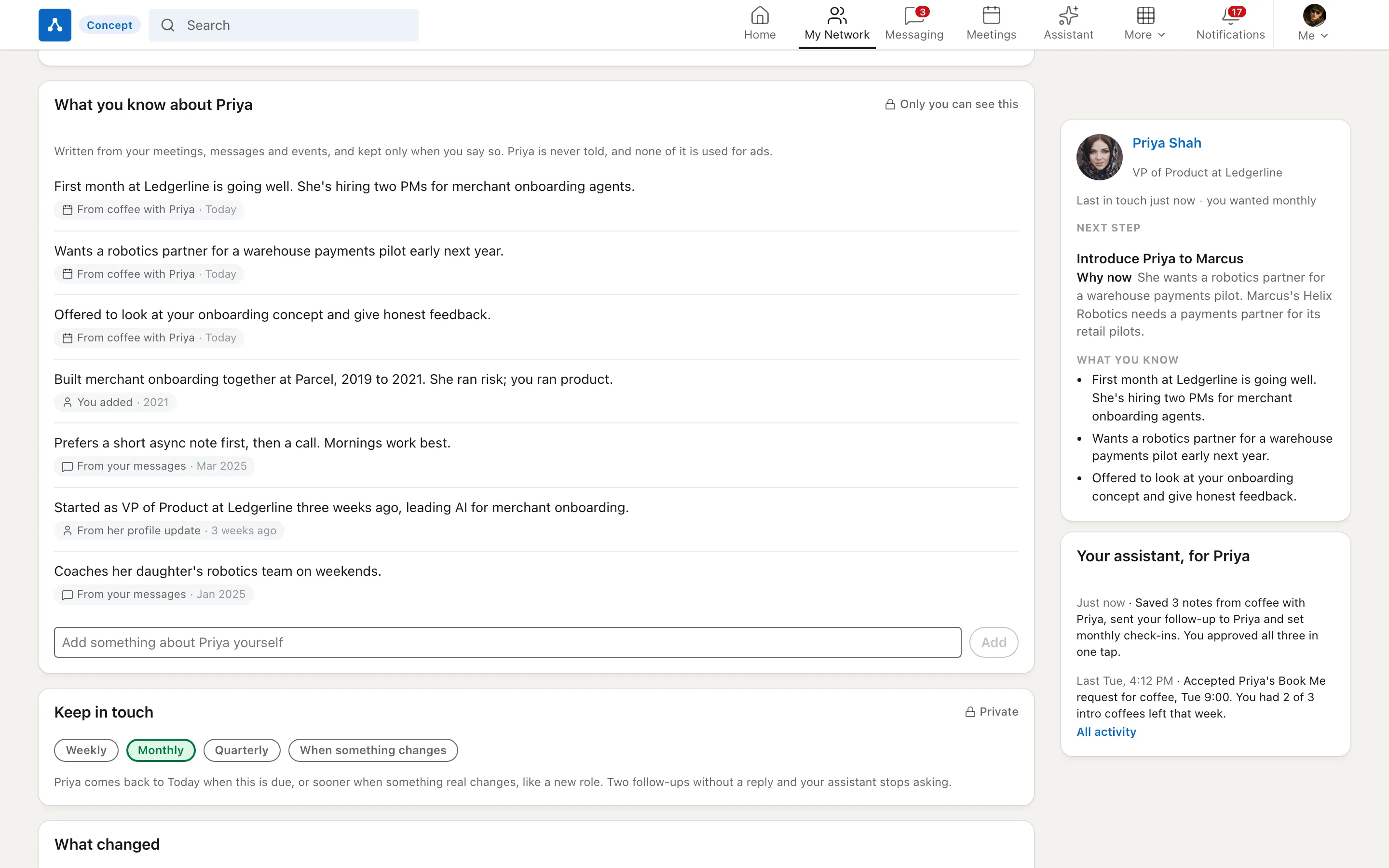
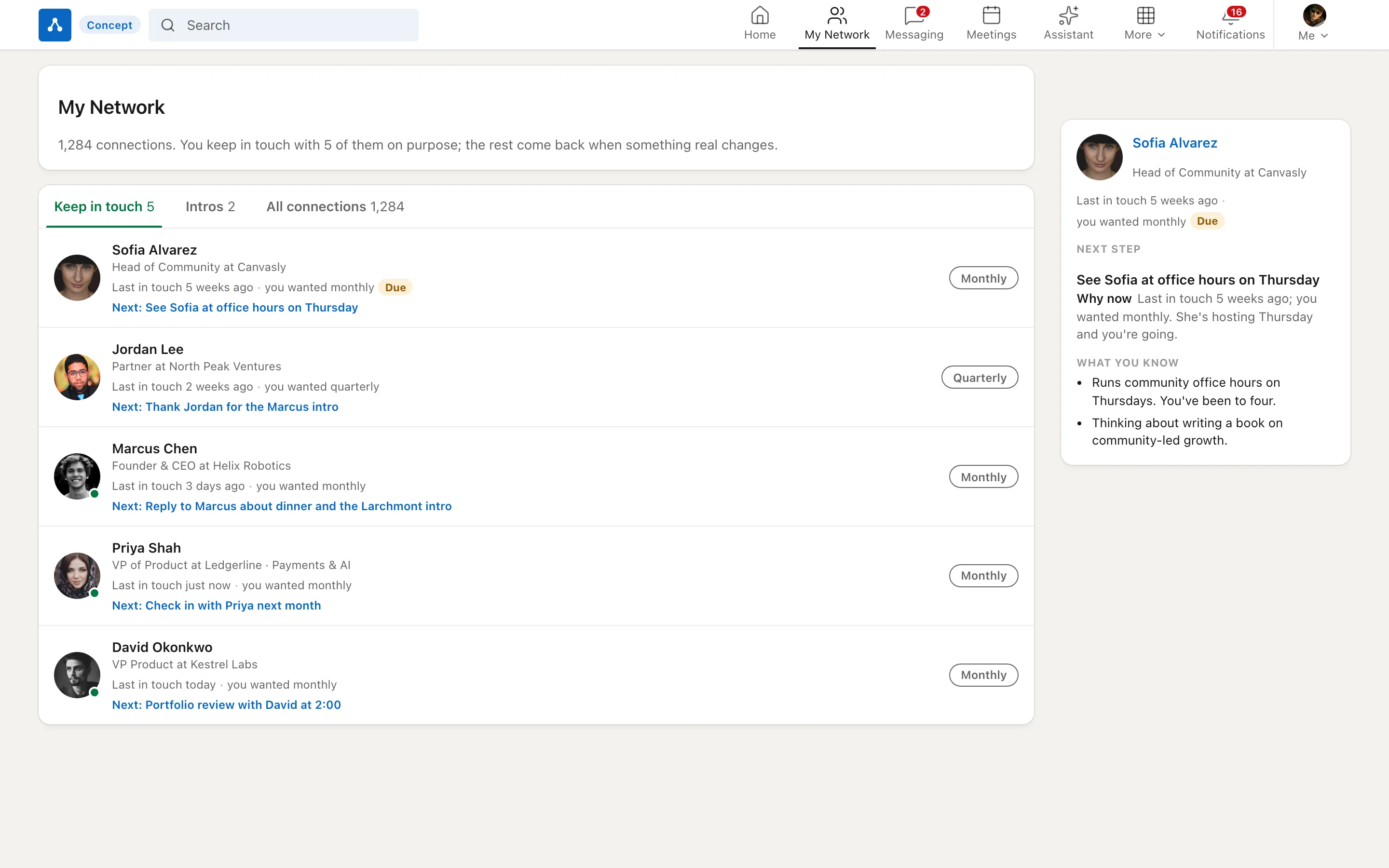
| Remember people | Dex, Folk, a spreadsheet, or nothing at all | Notes, how you met, keep-in-touch cadence and relationship health on every connection, private to you |
| Follow up | Superhuman, Boomerang or a reminders app | Remind-if-no-reply, Instant Intro, snippets and drafts from your own notes, inside Messaging |
| Schedule | A Calendly link pasted into the thread | Book Me on your profile, times proposed inside the conversation, round-robin for teams |
| Prepare | A prep doc assembled by hand before every call | A prep pack from your network memory, attached to the meeting |
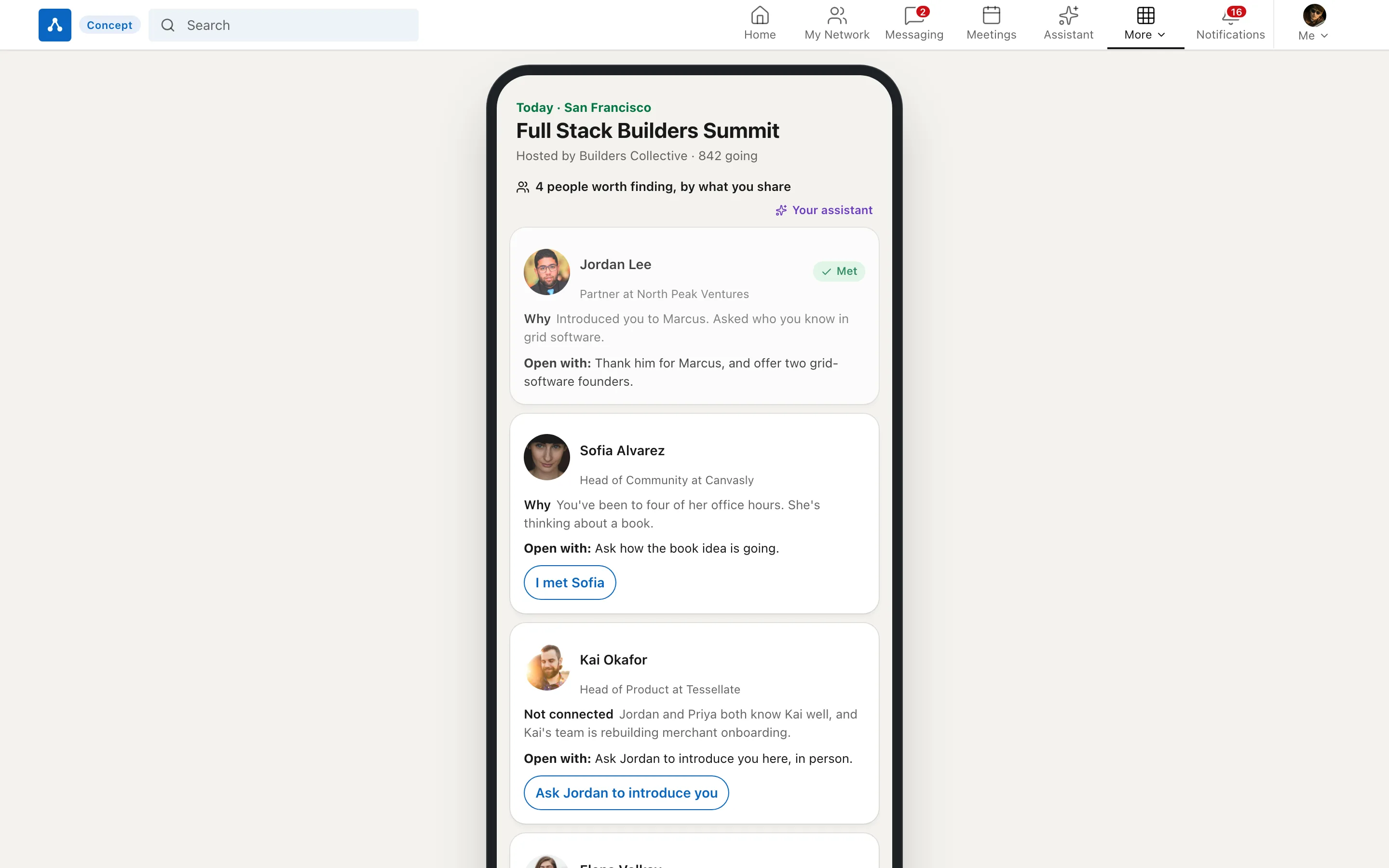
| Meet people at events | Eventbrite or Luma, then an attendee list that goes nowhere | Tickets and check-in, then a Networking Pack that says who to meet and why |
| Run a community | A Discord or Slack for each cohort | Channels, roles, forums and Stage, with real professional identity |
| Close the loop | Copying notes into a CRM at the end of the day | An agent drafts follow-ups and logs outcomes; nothing sends until you approve it |
Three systems on one graph.
Everything reads from one place: the relationship. Memory says who someone is to you, scheduling turns intent into time, and the agent closes the loops you would otherwise drop.
Memory
Notes, how you met, cadence and relationship health on every connection.
- Private to you, never used for ads
- Signals explain why they appeared
Scheduling
Book Me on the profile, times proposed inside a thread, team routing.
- The person being booked sets the rules
- Every meeting arrives with a prep pack
Agent
Reads your graph, drafts follow-ups, prepares meetings, logs outcomes.
- Acts only after you approve
- Shows its sources for every draft
Optional wires
Calendar free/busy and CRM connect only if you choose.
- Scoped and removable
- The product works without them
Shared context
Messaging, Events, Communities and Jobs read the same relationship.
- Open a person anywhere, see the same memory
- No re-explaining between surfaces
How one relationship moves through the day
- SignalPriya becomes VP of Product at Stripe
- MemoryYour notes: met at Square, prefers async
- MessageA congratulations drafted from those notes
- MeetingShe books 20 minutes from your profile
- PrepA prep pack carries the open loop
- LoggedThe agent logs it, after you approve
From the morning briefing to an agent that asks first.
The prototype’s guided tour follows a single day. These are its six stops, in order.




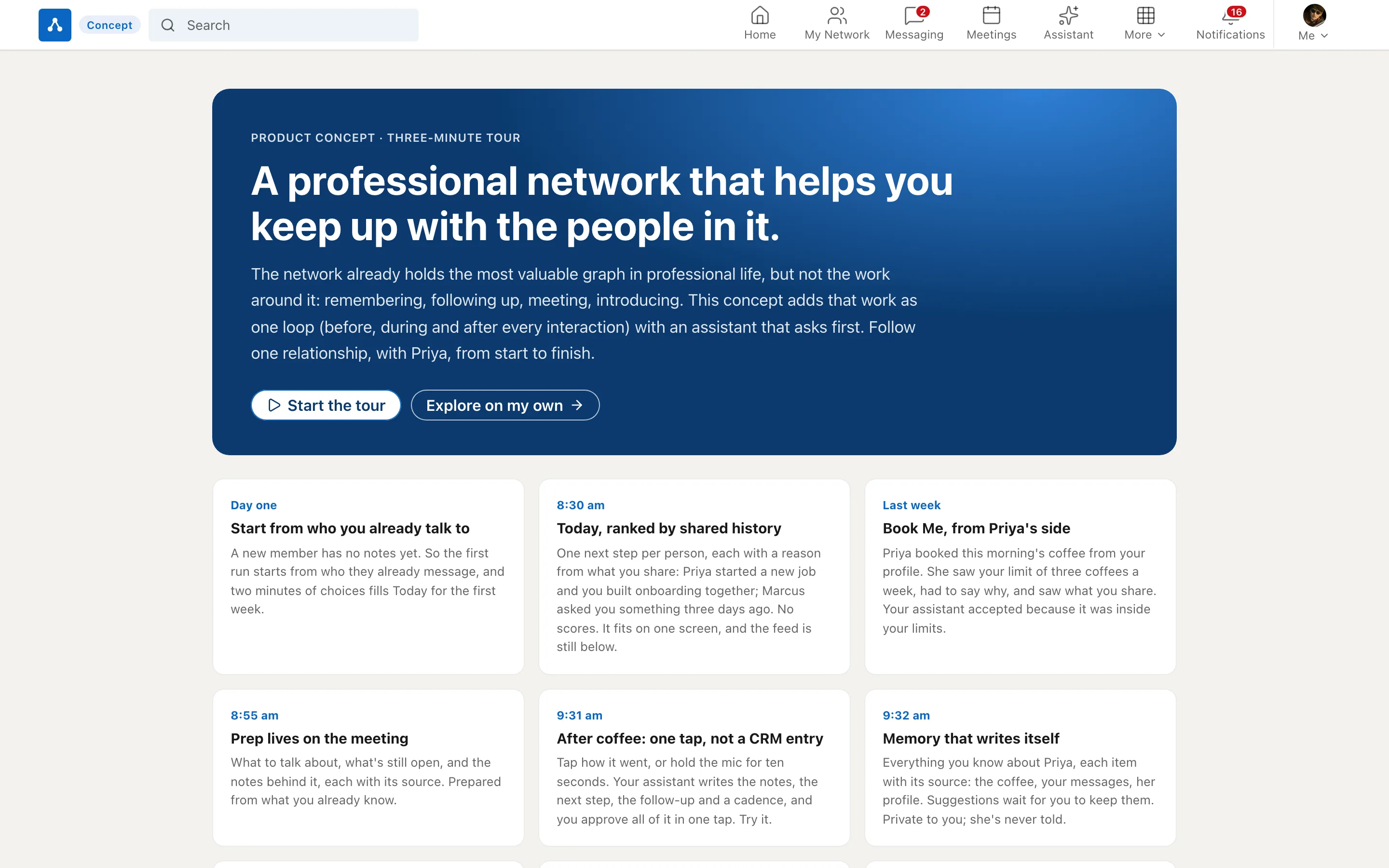
A prototype someone can open and understand in two minutes.
Anyone sent a link lands on a front door that explains the idea, then a guided tour walks them through the day with the relevant part of each screen highlighted.


Eight rules that make memory and an agent safe on a professional network.
A network that remembers and acts has to earn more trust than one that shows a feed. These are designed in, not bolted on.
- Notes are private by default.What you write about someone is visible only to you, never to them, and never used for ads or ranking.
- The agent asks before it acts.It can read and draft. Anything that sends, books or writes to a CRM waits for your approval and shows its sources.
- Connections are optional and scoped.Calendar and CRM access are opt-in, limited to what a feature needs, and removable at any time.
- No cold-outreach engine.Drafts start from a real relationship and your own notes. The system never messages strangers on your behalf.
- Every nudge explains itself.A signal says why it appeared: a job change, an open loop, a shared event.
- People control how they can be booked.Book Me types, hours and who may book are set by the person being booked.
- Memory is portable.Your notes and relationship history export with you.
- Memory is for everyone.Notes and reminders on every connection are free; paid tiers add scale, not the basics.
Four stages, each extending something LinkedIn already ships.
None of this needs a new app. Each stage grows a feature that members or recruiters already use.
Memory on every connection
Notes, how you met and keep-in-touch cadences for every member, private by default.
- Builds onSales Navigator’s notes and the Catch up tab in My Network
Scheduling with the conversation
Book Me on profiles and times proposed in Messaging, each meeting with a prep pack.
- Builds onScheduler for Recruiter and Premium’s booking button
The agent, with approval
Drafts, prep and logging on the member graph; nothing sends without approval.
- Builds onHiring Assistant, LinkedIn’s agent for recruiters
Events and communities on the same context
Networking Packs at events and identity-rich communities that read the same memory.
- Builds onLinkedIn Events, Live and Groups

The day works on a phone too.
The briefing, the inbox and approvals are what people check between meetings, so the phone layout leads with them.
Independent concept. Not affiliated with or endorsed by LinkedIn; LinkedIn is a trademark of LinkedIn Corporation. The prototype uses its own neutral mark, and all people, companies and data in it are fictional.
How it was made. The screens come from a working React prototype with a guided tour, built to test the idea end to end, and the hero video is a recording of that tour. References to existing LinkedIn features reflect public information as of October 2026.
The prototype runs. I’d be glad to show it.
If you build professional networks, CRMs or agent products, I would welcome 30 minutes to walk through the working prototype and the rules behind it.