Lab · Design concept
Claude and Codex are single-player. Here’s a team layer for both.
Both desktop apps are excellent at running many agents for one person. Neither lets a team see that work, own it, hand it off or talk about it where it lives. These are 14 concept screens for the missing layer: an inbox, shared projects, tasks with owners, handoffs and messages anchored to the work.
Many agents for one person, nothing for the team.
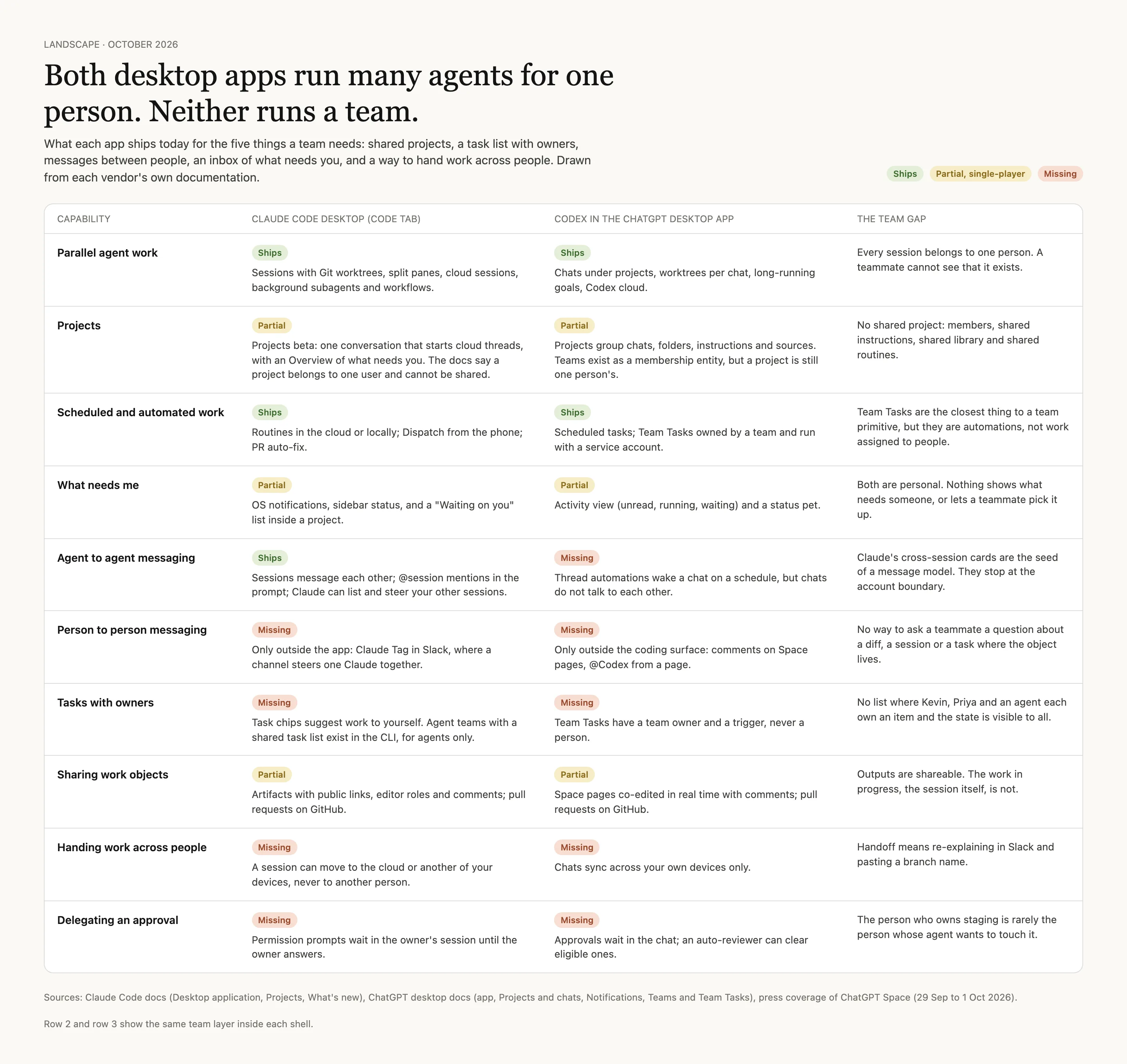
I went through what each app ships today. Parallel sessions, worktrees, routines and scheduled tasks are all there. Shared projects, tasks with an owner, messages between people, an inbox of what needs you, handing work to a colleague and delegating an approval are not. Claude’s sessions can already message each other, but only inside one account.
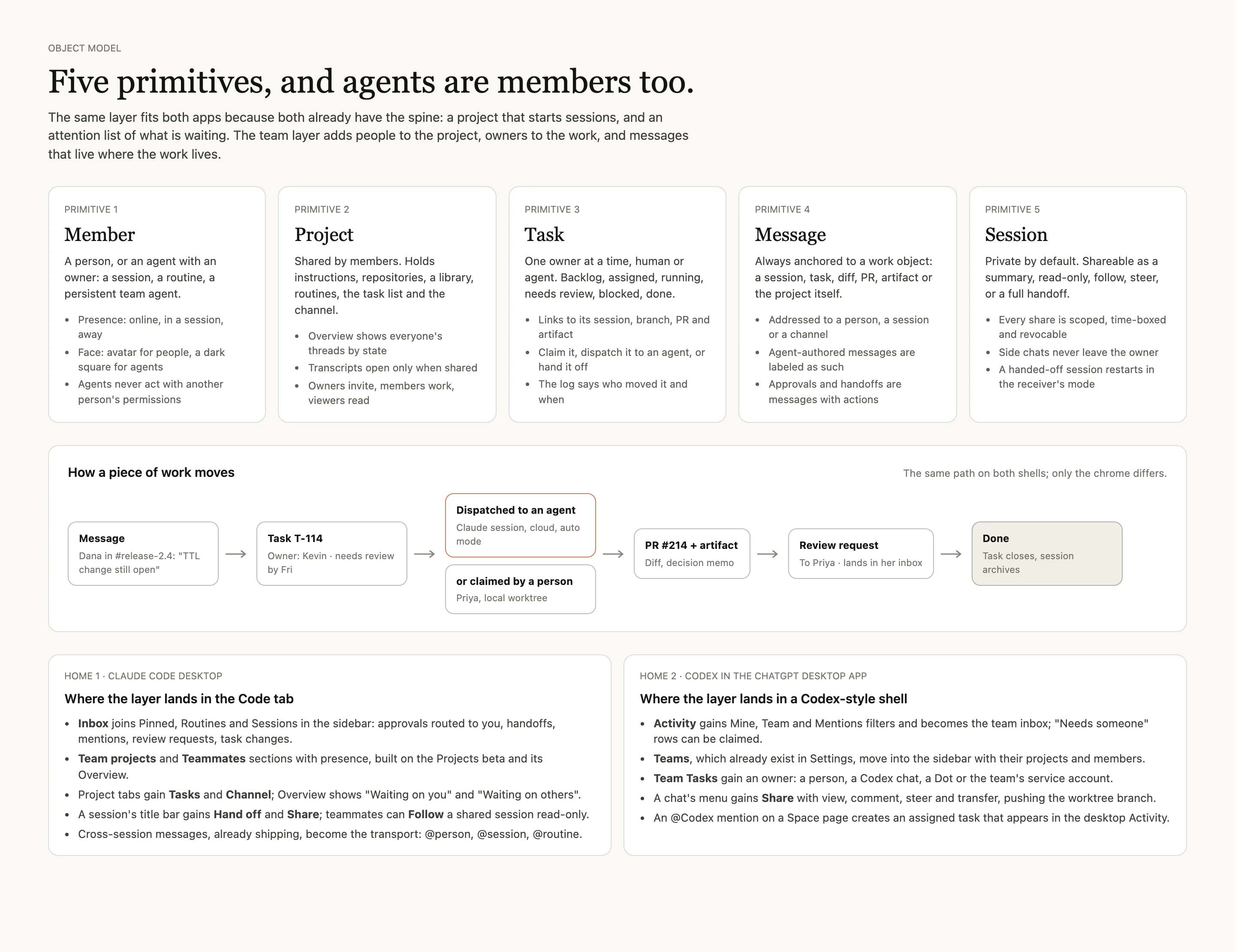
The fix fits both apps because both already have the spine: a project that starts sessions, and a list of what is waiting. The team layer adds people to the project, owners to the work, and messages that live next to it.
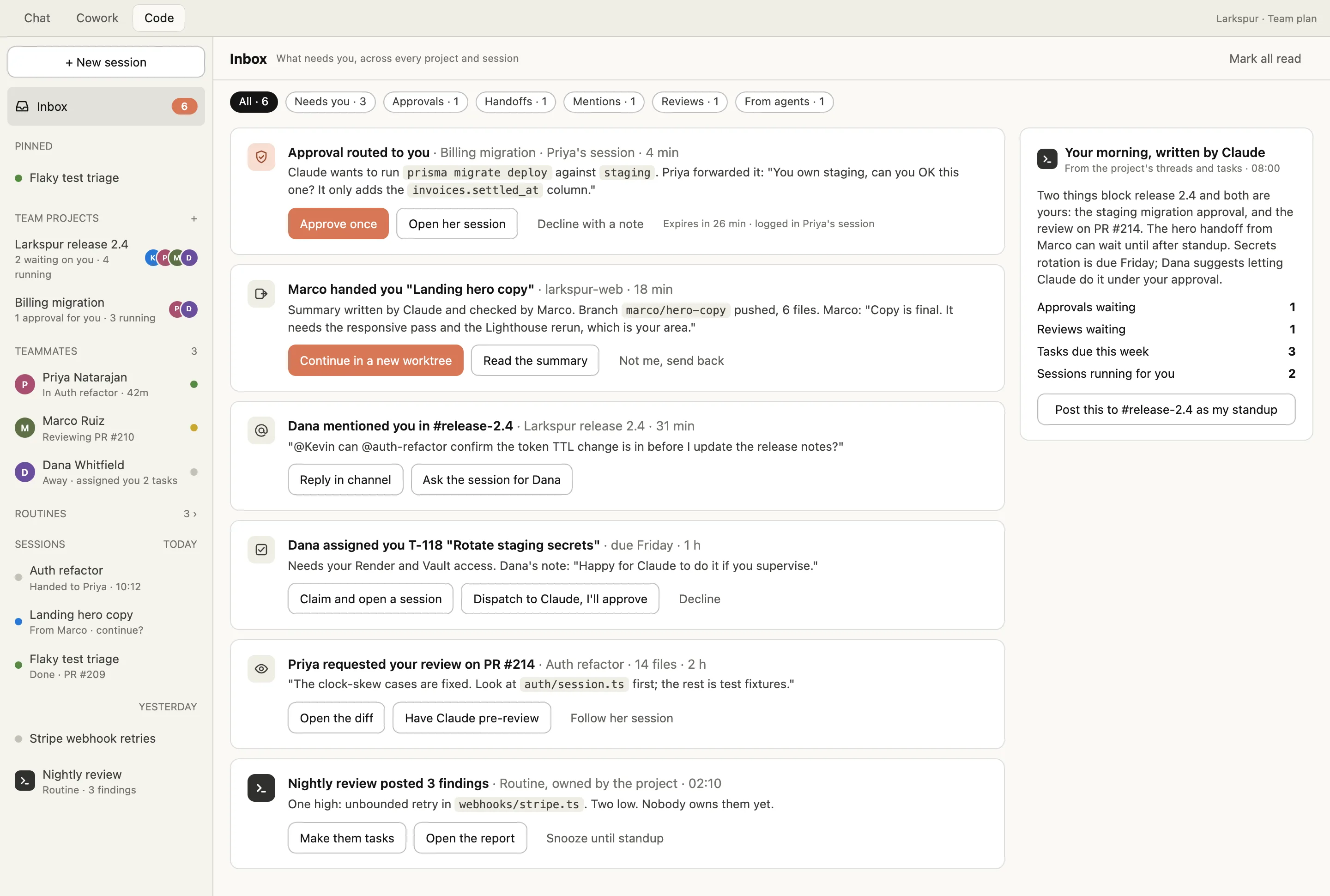
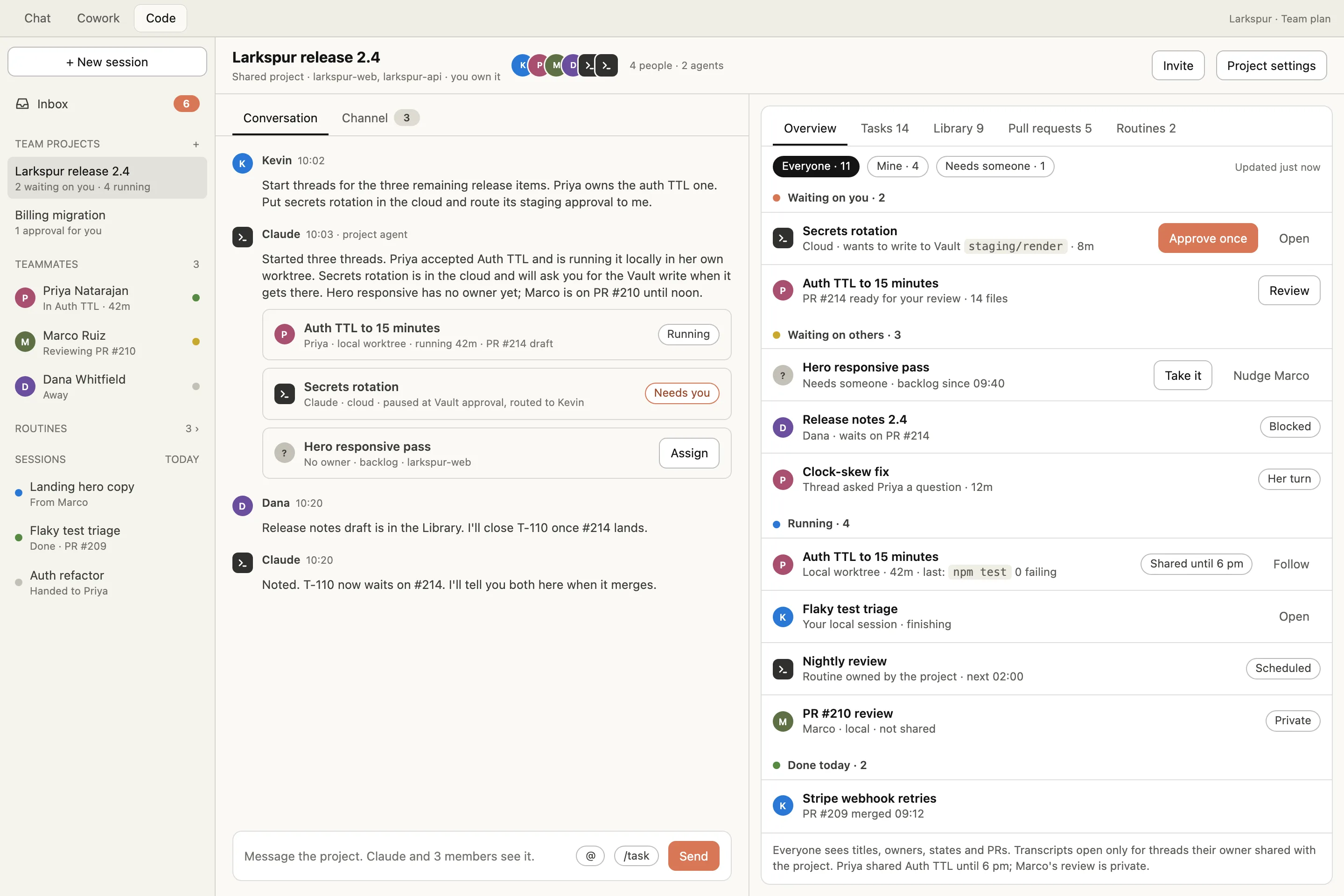
An inbox, shared projects, tasks, handoffs, a channel and follow.
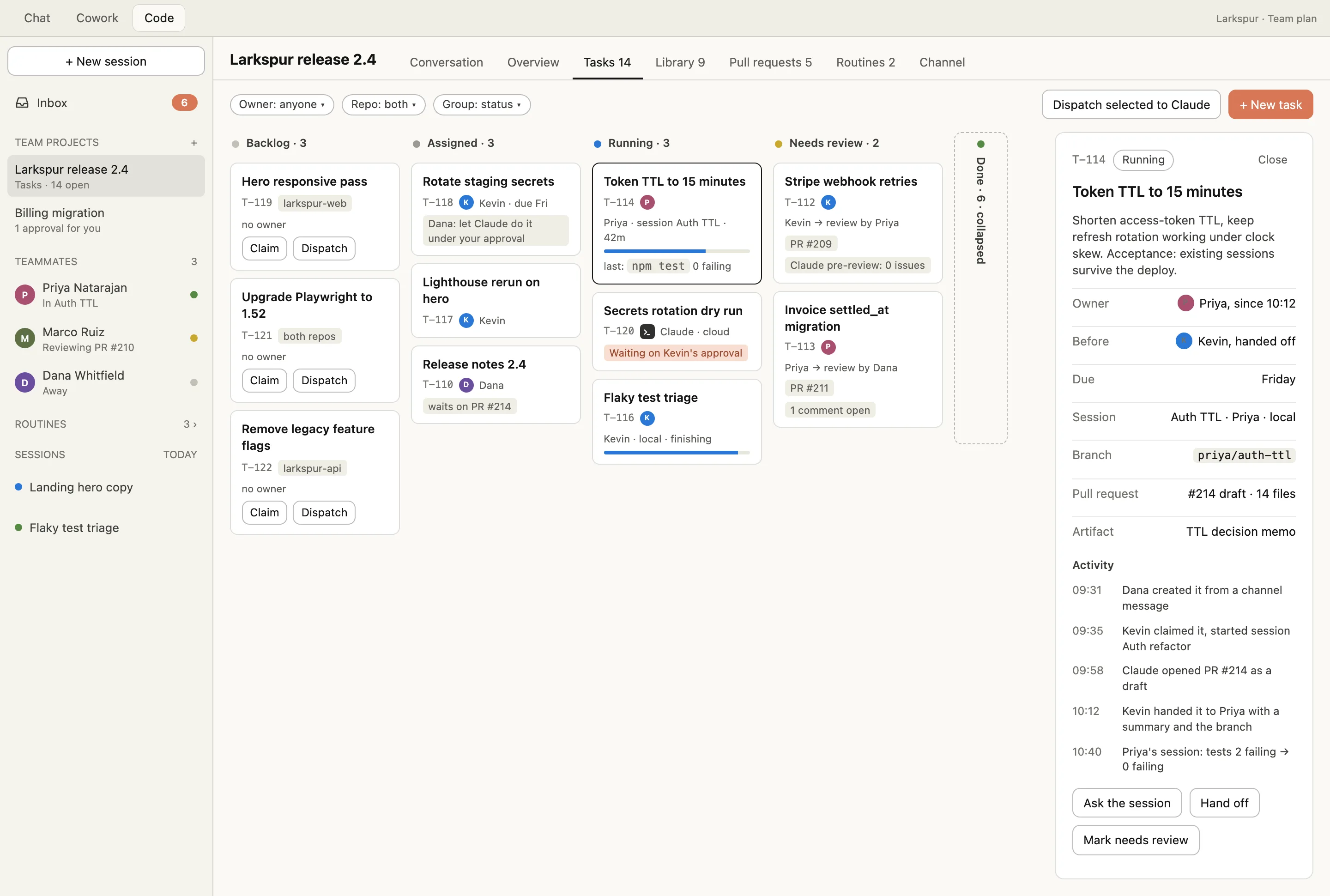
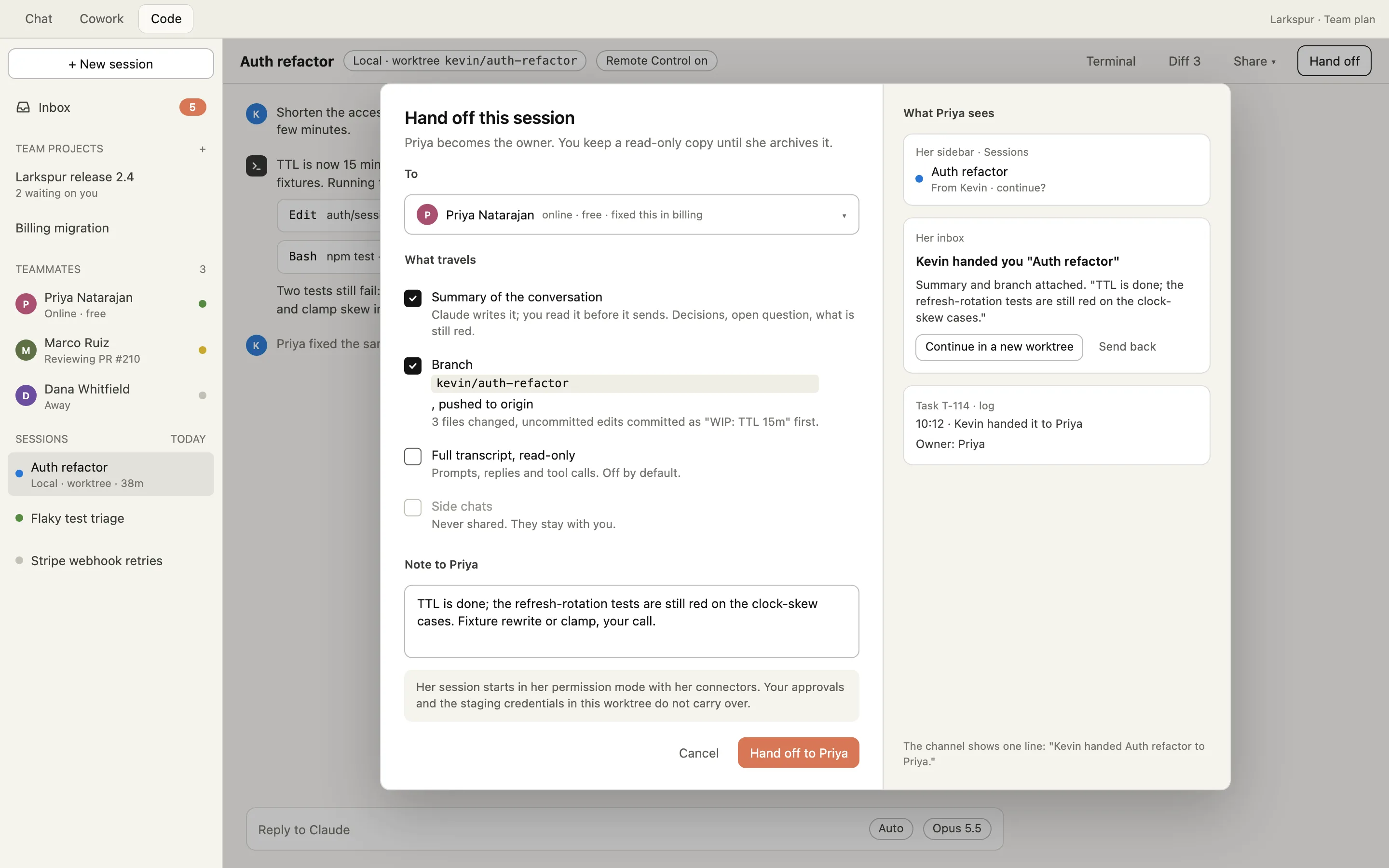
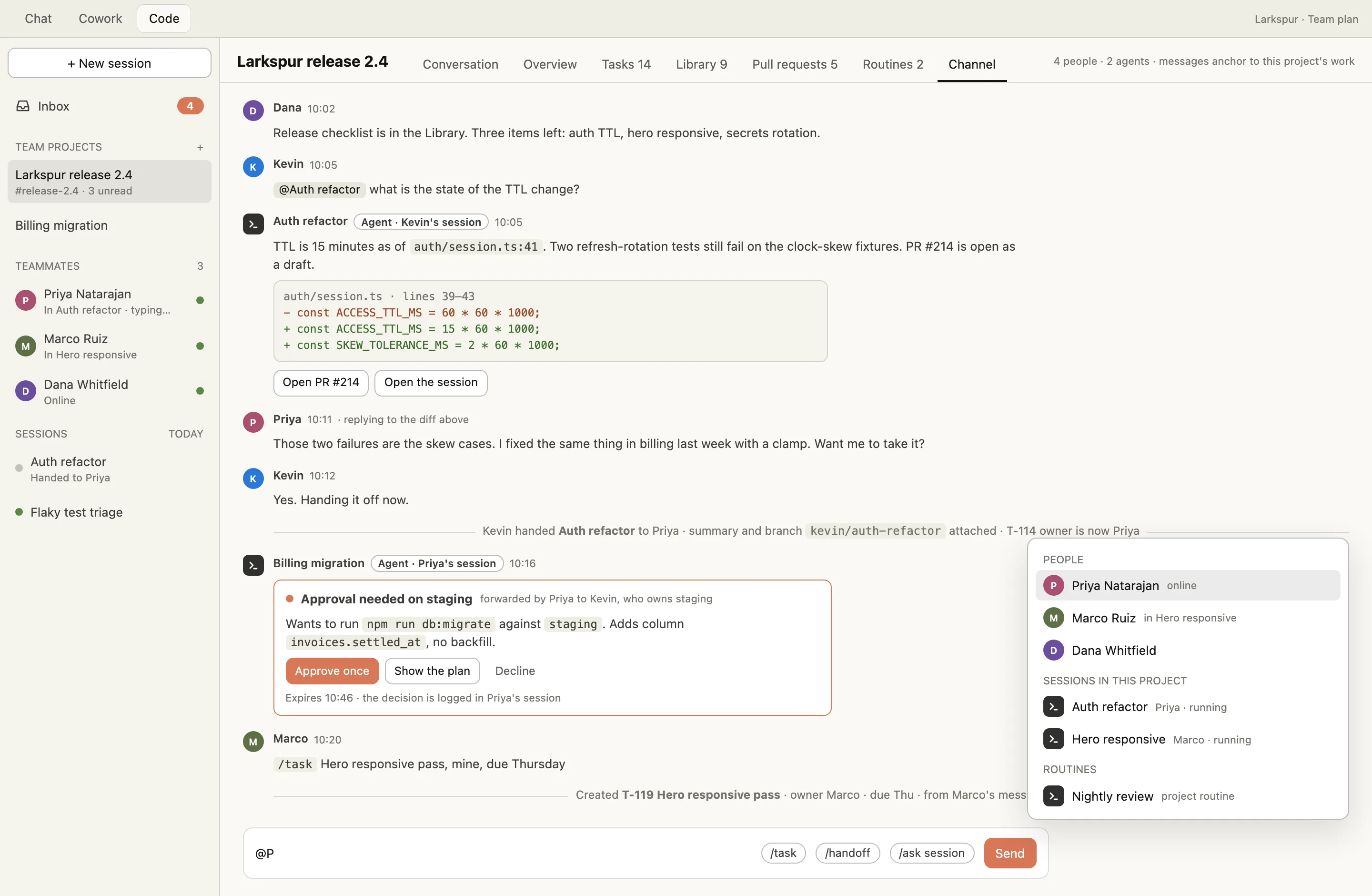
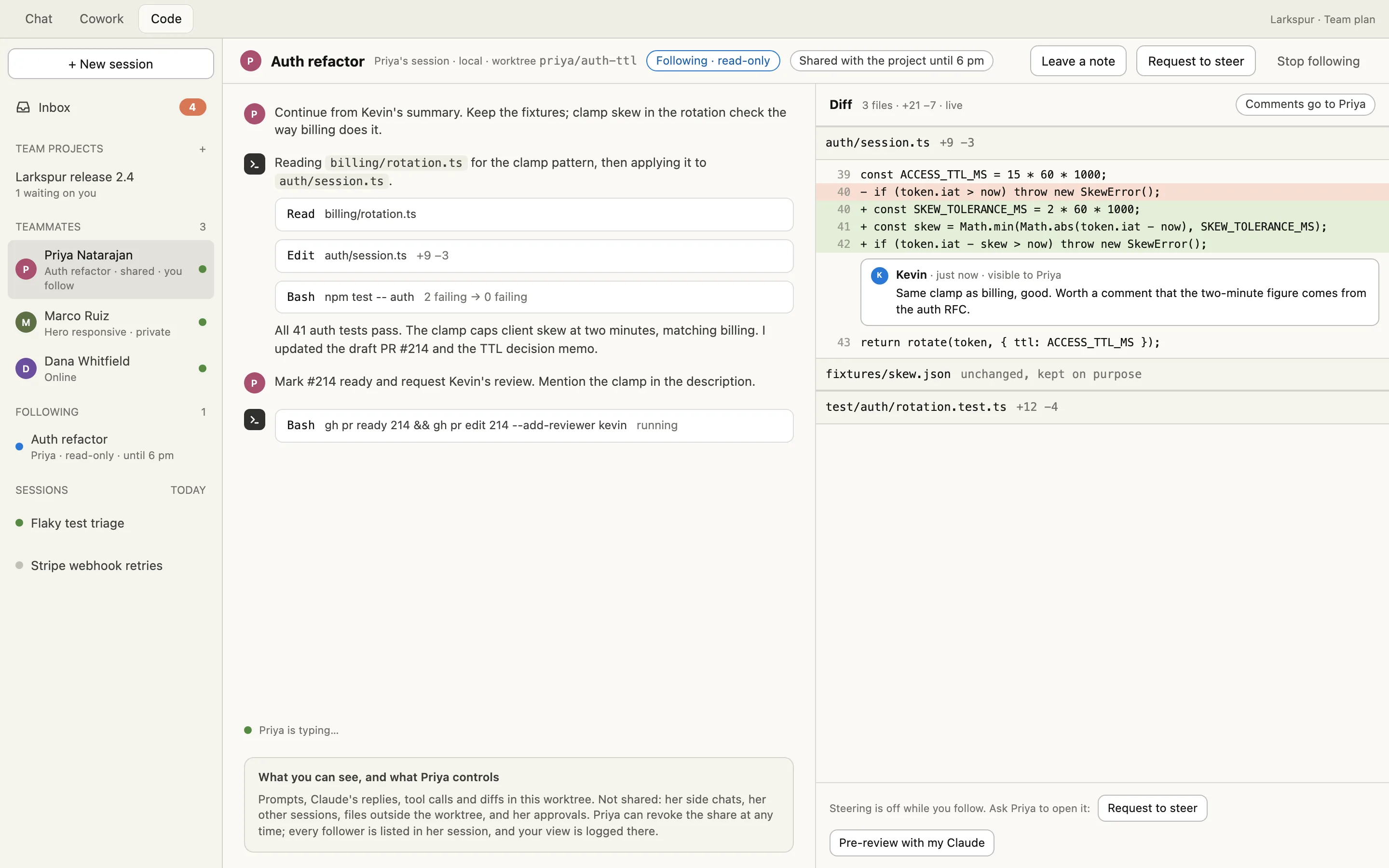
Six screens in the Code tab. The Inbox joins the sidebar next to sessions and routines; projects gain members, a task board and a channel; a session gains Hand off and Share.
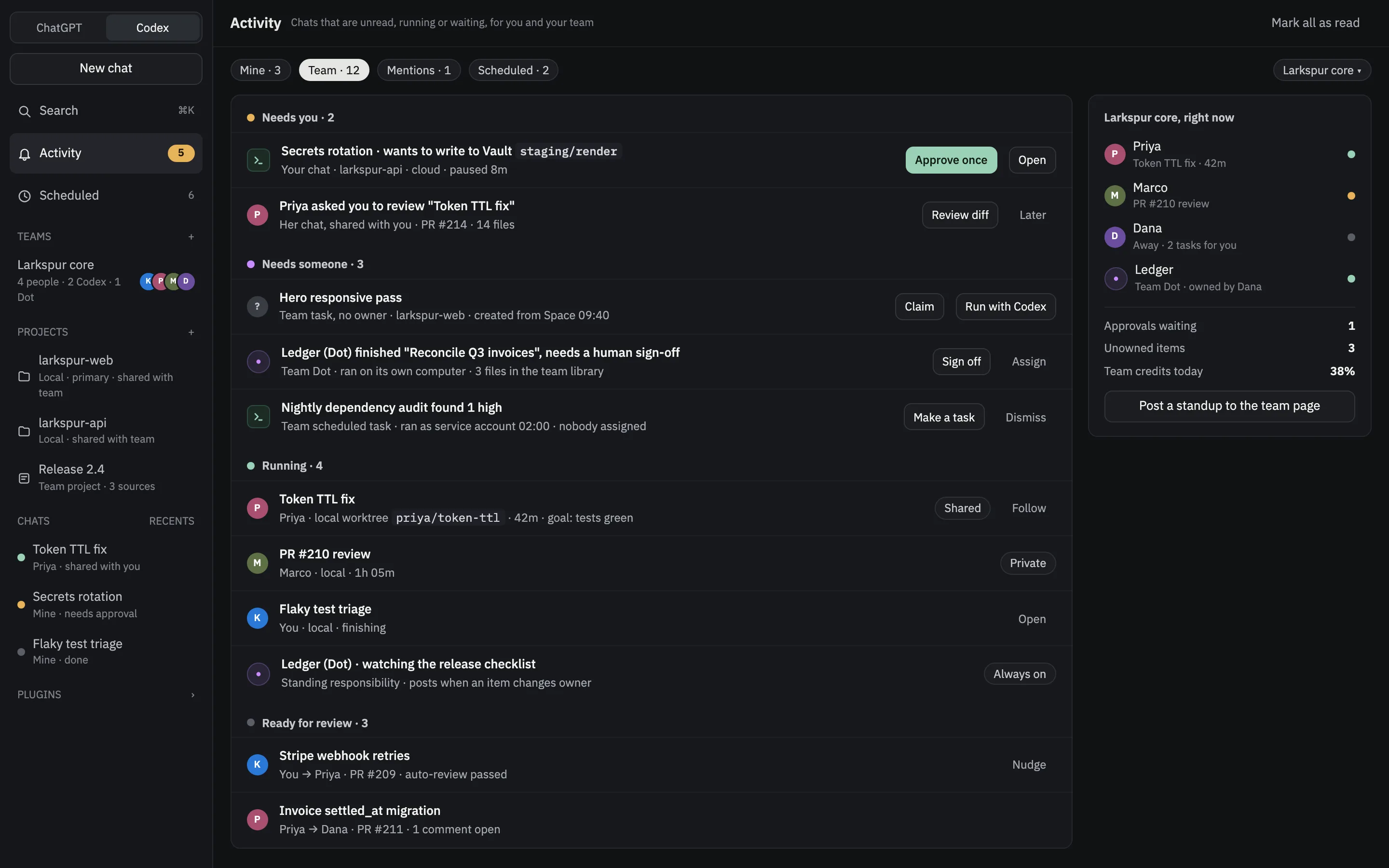
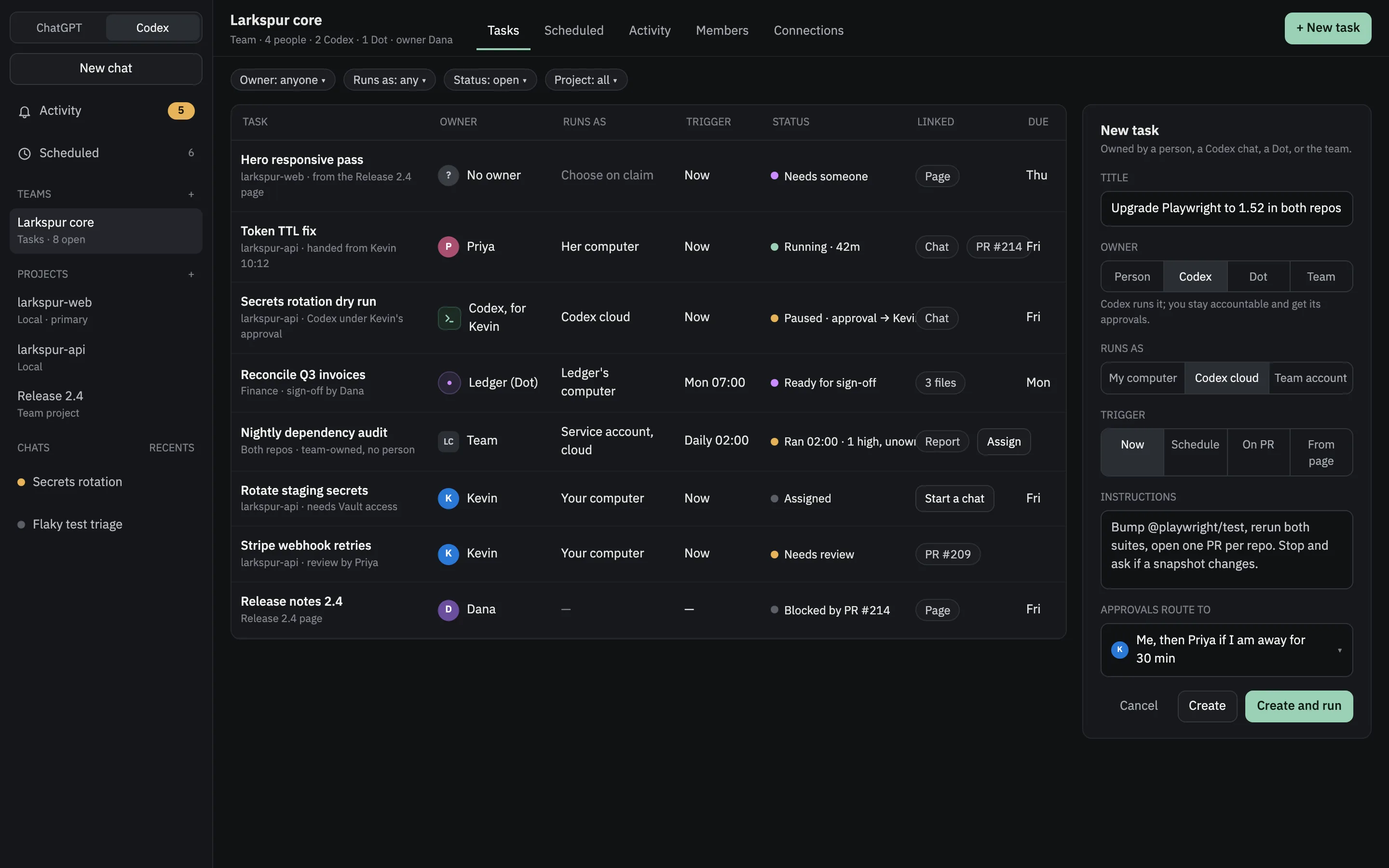
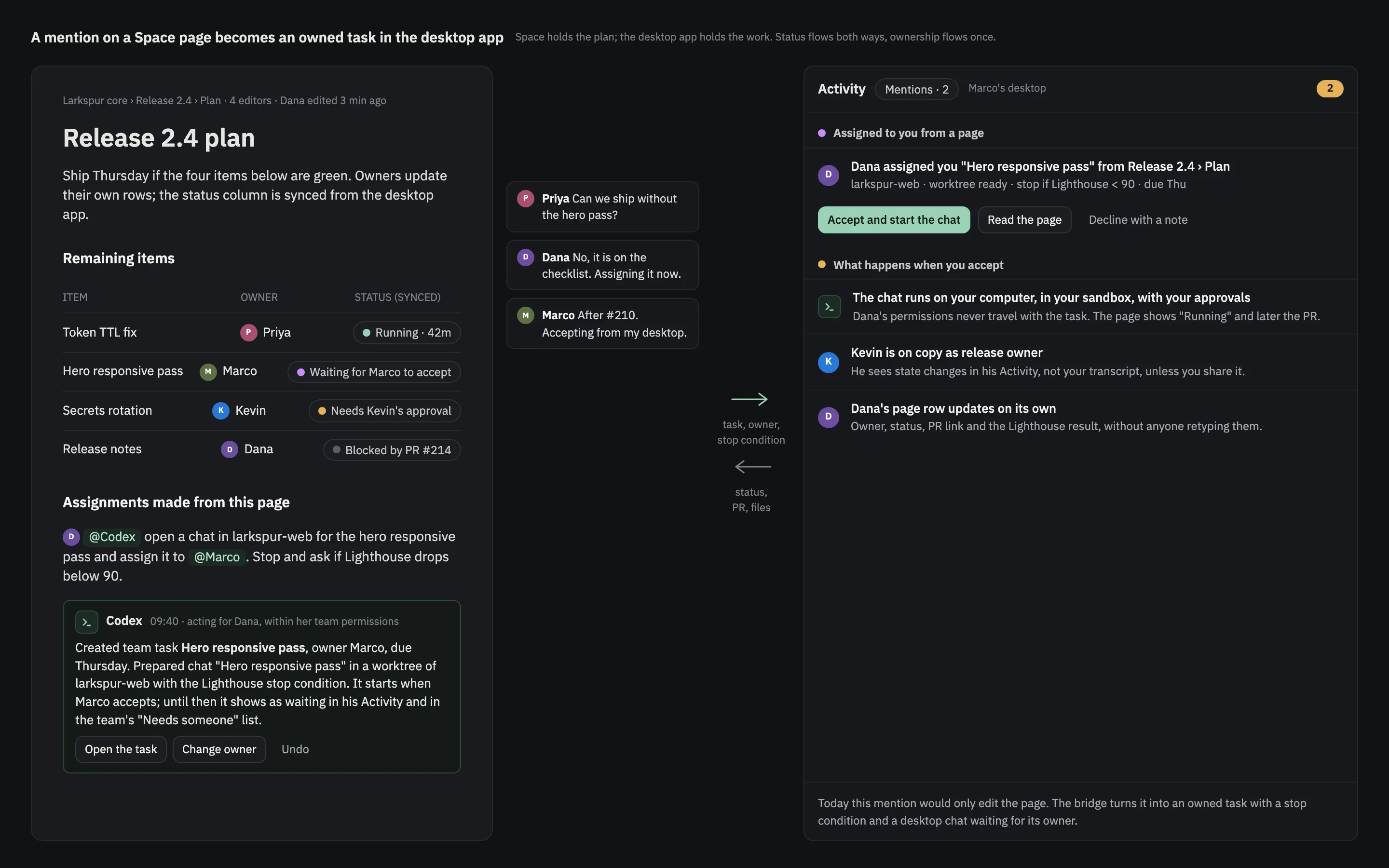
The same layer, built on Activity, Team Tasks and Space.
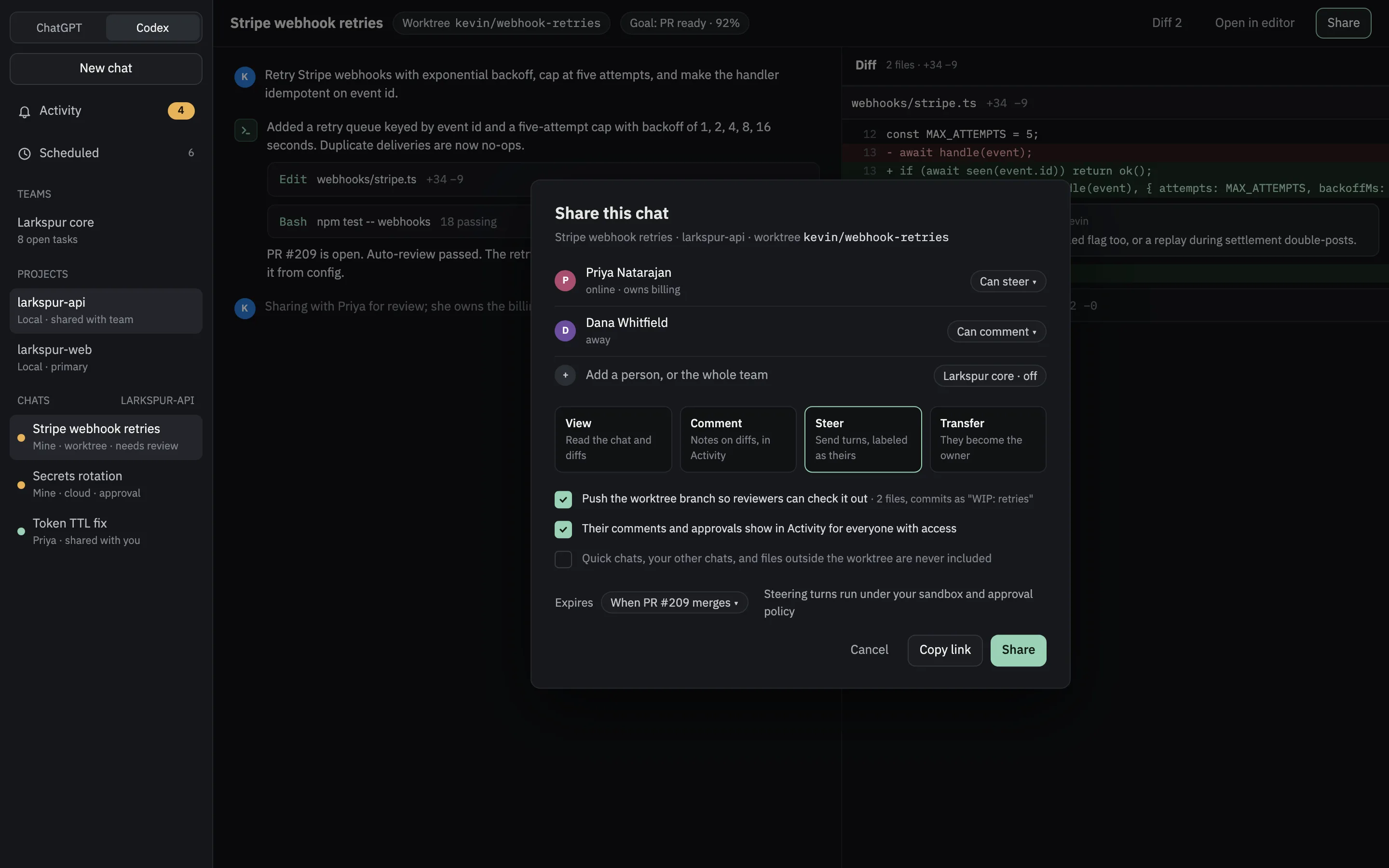
Four screens in an original shell that follows the structure OpenAI documents for Codex in the ChatGPT desktop app. Teams already exist there; the change is giving work an owner and connecting shared pages to the desktop.
Eight rules that keep a team layer from becoming a surveillance layer.
The screens only work if people trust them. These rules are what every screen above depends on.
- Agents are members, not tools.Every session, routine and persistent agent has an owner, a face and a state. Agent-authored messages are always labeled with the owner’s name.
- Sessions are private by default.Sharing is opt-in per session and scoped: summary, read-only, follow, steer or handoff. It is time-boxed, revocable, and logged where the owner sees it. Side chats never leave the owner.
- One owner per task at a time, human or agent.A handoff changes the owner and carries the context. Nothing is copied silently, and the log says who moved it.
- Every message anchors to a work object.A session, task, diff, pull request, artifact, page or project. Free-form chat stays in Slack.
- “Needs you” is personal; “needs someone” is the team’s.The inbox is per person; the queue is per project. Nothing waits on nobody, and an unowned item can be claimed by anyone with access.
- Approvals can be routed, never bypassed.A forwarded approval shows who asked, who answered, in which session, and it expires. The agent still runs inside its owner’s sandbox.
- Permissions never travel between people.A handed-off or accepted task restarts in the receiver’s permission mode with their connectors and credentials.
- Aggregate by default.Teammates see titles, owners, states, pull requests and tasks. Transcripts and diffs open only by share. A private session is listed as private, never summarized.
- Shared projects and the task listMembers, shared instructions, library and routines; tasks with one owner, linked to sessions and pull requests.
- The inbox and routed approvalsOne per-person list of what needs you, with approvals a session owner can forward to the person who owns the resource.
- Handoff and messages anchored to sessionsHand a session to a teammate with a summary and branch; @-mention people, sessions and routines where the work is.
- Follow, steer, and standing team agentsWatch a shared session live, ask to steer, and give routines and persistent agents a team owner with a sign-off person.
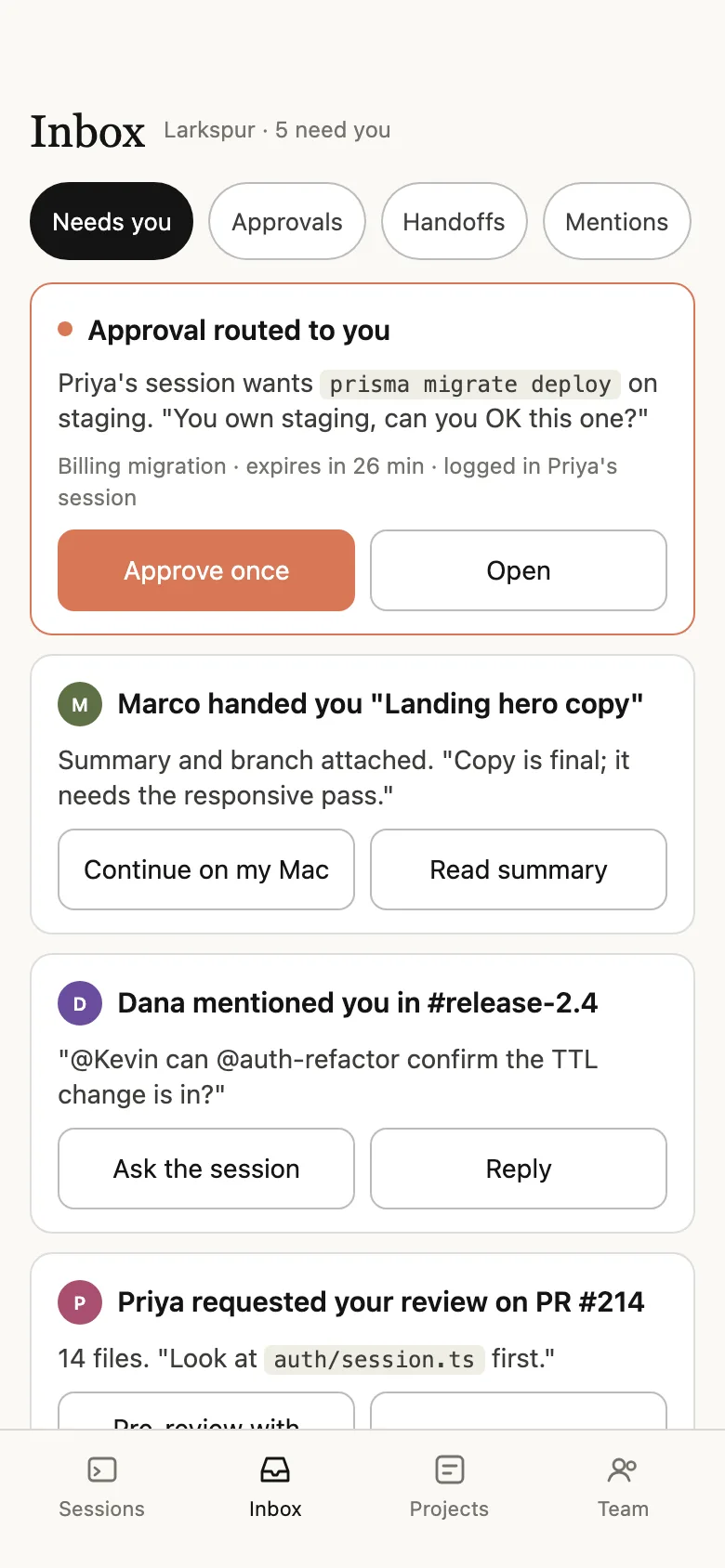
The inbox follows you.
Approvals, handoffs and mentions are the parts of the layer that cannot wait for a laptop. On the phone, the inbox is the whole product.
Independent concept. Not affiliated with or endorsed by Anthropic or OpenAI; product names belong to their owners. The Codex screens use an original shell, not a recreation of OpenAI’s interface. All people, repositories and numbers are synthetic. The comparison reflects each vendor’s public documentation as of October 2026.
The hard part is ownership, not the model.
If your product runs agents and your customers work in teams, this is the conversation I’d start with.